 Asia Design Lab
ADL QUICK SUPPORT
Let’s look
at it together.
Get hands-on help with your Windows PC from an Asia Design Lab technician. Open the app, share a code, and show us what’s happening.
Download Quick SupportWindows 10 & 11 · 64-bit · No installation
You open the app and approve one visit at a time. It stays closed when Windows restarts.
McAfee or another antivirus blocked the file? Get help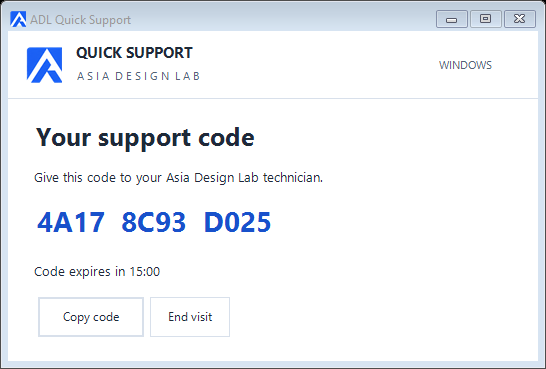
HOW IT WORKS
From download to desktop.
Open the app
Download the EXE on the PC that needs help. Open it and choose Start support to get your code.
Share your code
Give the code to your ADL technician within 15 minutes. Check their email in the app and choose Allow this visit.
Follow the visit
See the time and cost as we work. You can end the visit at any time. Scan the final PromptPay QR in your banking app.
SESSION PRICING
฿65 / minute
Billed by the second, from the moment your technician can see your desktop. Waiting time and disconnected time are free.
EXAMPLE VISIT
A few things to know.
What happens to access after my visit?
Choose End visit to disconnect the technician. Close the window when you have finished with your invoice. The portable EXE installs no Windows service and adds no startup entry. You can keep or delete the download. For another visit, open the app, get a fresh code and approve your technician again.
What if my code expires?
Choose Start another visit and share the new code with your technician. A connected visit can last longer than 15 minutes.
How do I stop remote access?
Choose End visit in the Quick Support window. A future visit requires a new code and your approval.
Can I reopen the payment QR?
Yes. Choose Open invoice in Quick Support. The last invoice is available when you reopen the app on the same Windows account. Check the total and recipient 0825812101 in your banking app before confirming.